TrunkDB Admin
A desktop app to look into trunkdb databases without writing Rust: browse, filter, group and see how each query ran.
- status
- version 0.2, made and tested on macOS; build it yourself
- language
- Tauri 2, Rust, React, TypeScript
- license
- MIT
Why I built it
When I start wiring up an application to a database and the first data flows into it, I want to explore the data that the database receives and retrieves from a neutral perspective that is not the application I am developing.
For trunkdb this has been the CLI.
Over time, trunkdb became more capable and so did its query language and what it could express. At the same time, the data I put into it became bigger and the filters I tried and used became more complex.
TrunkDB Admin has been the answer to this growing complexity and variety of information trunkdb offers to its users.
What it does
trunkdb has a command line tool, but browsing a collection, trying a filter or finding out why a query was slow is easier in a GUI.
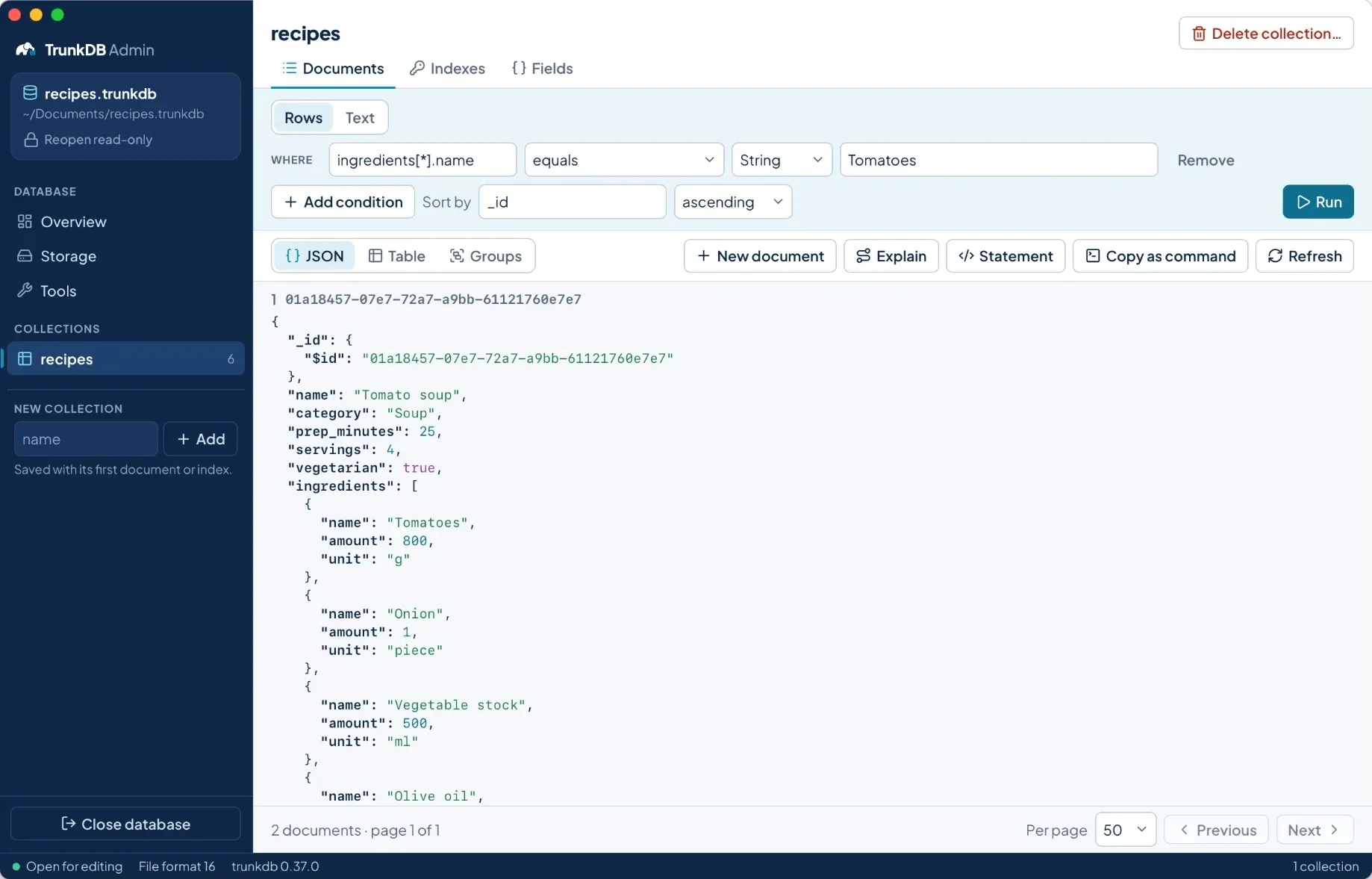
- Overview of a database: collections with their counts and indexes, its file format and the trunkdb releases that wrote it.
- Storage: deeper analysis of where the storage goes and what a compaction would save.
- Tools: consistency check, export and import data.
- Browse a collection as JSON or as a table, sorted and paged by trunkdb.
- Filter with typed rows or with trunkdb's filter language as text, and copy the result as a
trunkdb findcommand. - Groups: aggregate documents per value of up to three fields, with count, sums, averages and more; each group's documents one click away.
- Explain how trunkdb ran what is shown, and what the plans it passed over would have read, each one click away as an index hint.
- Edit and Create documents in a JSON editor that never rewrites your text; manage indexes.
- Live: opened read-only beside a running app, a list follows what the app writes and refreshes by itself.
Three decisions
All behaviour in a core crate
Three layers: a React frontend, a thin Tauri shell, and admin-core, a Rust crate that holds everything that decides what happens to a database. The core knows nothing of Tauri or the UI and is tested with cargo test against real temporary databases. The frontend shows and asks: it never filters, sorts or parses filter text, and the backend refuses whatever it shouldn't do, even when a disabled button is bypassed. The app uses trunkdb only through its public API; a missing capability is a change to trunkdb, not a workaround here.
Values cross as text
JavaScript would lose some trunkdb values: integers beyond 2⁵³, the difference between 2 and 2.0, NaN, binary data. So nothing crosses from Rust to the frontend as a parsed value. Documents travel as JSON text, which the frontend shows and edits but never parses, and the editor gives back exactly the text it was given.
One snapshot per request, and no surprises for the file
A page of the list, its total and its groups are each read in one snapshot, so the count and the rows shown always belong together. Before an open for editing would raise a file's format, the app asks and offers to open it read-only instead, because an older trunkdb could not read the file afterwards.
Status
Version 0.2, made and tested on macOS, with trunkdb 0.43 built in. It isn't signed or notarized, so it is built from source. Its UI tests run with GroundworkTH; the native dialogs, the menu and quitting are tried by AI testing. Known limits: a file another program has open for writing opens here read-only, and Windows and Linux may build but aren't tried.
Where it's heading
TrunkDB Admin follows trunkdb with its feature set. You can use TrunkDB Admin as an example of how to interact with trunkdb, but be aware that not every feature of trunkdb is covered by this tool.